Convert SVG to PDF Online (and Keep It Vector)
Turning an SVG into a PDF should be simple, yet most tools make it difficult.
Many tools can export PDF, but suddenly the entire thing becomes a raster image.
The lines get soft and the shapes lose their vector data.
And the file that should’ve been infinitely scalable now behaves like a screenshot.
It’s a frustrating problem because SVG and PDF are both vector formats.
They should speak the same language.
But a lot of converters take shortcuts and flatten everything in the process.
That’s exactly why the SVG to PDF converter on svg.design/convert exists.
It keeps your artwork real, sharp and fully vector PDF, exactly as it was designed.
How to Turn SVG to Vector PDF 👇🏼
First, upload your SVG to the Online SVG converter.
Then choose PDF as your output format.
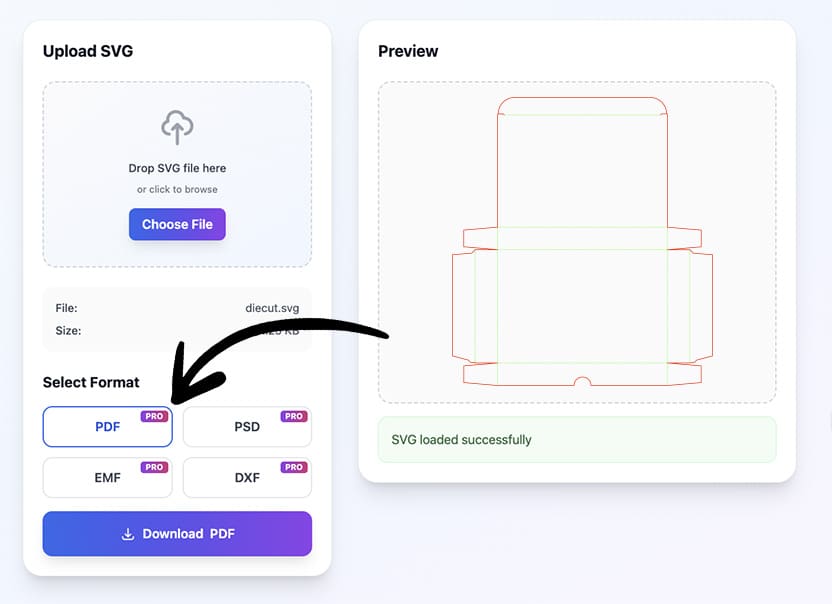
After that, download your new file and open it in your viewer, editor, or print setup.
Everything stays vector (if the input was also vector).
This means no blurry edges and no mystery compression, and no quality drop at any scale.
NB: if your input did include raster images, you can also use the Vectorize tool to trace it.
Why a Rasterized PDF Is a Big Problem 🤔
When an SVG gets flattened into a raster image inside a PDF, your whole workflow takes a hit.
Print shops could reject the print file and clients complain about softness.
Icons become fuzzy and logos lose crispness when zooming in.
And if you try to fix it manually, you’re stuck redrawing shapes or exporting from multiple apps just to get one clean PDF.
That’s why converting SVG to PDF while keeping everything vector is so important.
Your design stays editable and your output stays sharp.
NB: you can easily check embedded raster images in the print file checker.
What You Get With Vector-Pure PDF ✅
Perfect scaling PDF at any size.
Crisp lines, no matter how close you zoom.
Fully preserved paths for vector editing in vector tools when you need.
Professional print quality without manual fixes.
Consistent output across all devices and readers.
And because the converter handles everything online, you don’t need Illustrator, Inkscape, or any heavy desktop software.
Just upload, convert and you’re done.
No More Raster Crimes in Your PDF 🖨️
If you want a PDF that actually preserves your SVG’s vector quality, head over to svg.design/convert
Choose PDF as your format, convert with one click, and keep your artwork exactly the way you created it.
No raster PDF surprises and no pixelated images.
You can then easily import the PDF into any vector tool such as Illustrator and edit it.
Just clean and true vector PDF output every time.

About the Author
I'm a vector artist and 3D designer and the founder of SVG.design. I love creating beautiful visuals and sharing what I've learned about design, productivity, and creativity with fellow artists and makers.