Convert Any Photo to Flat Vector
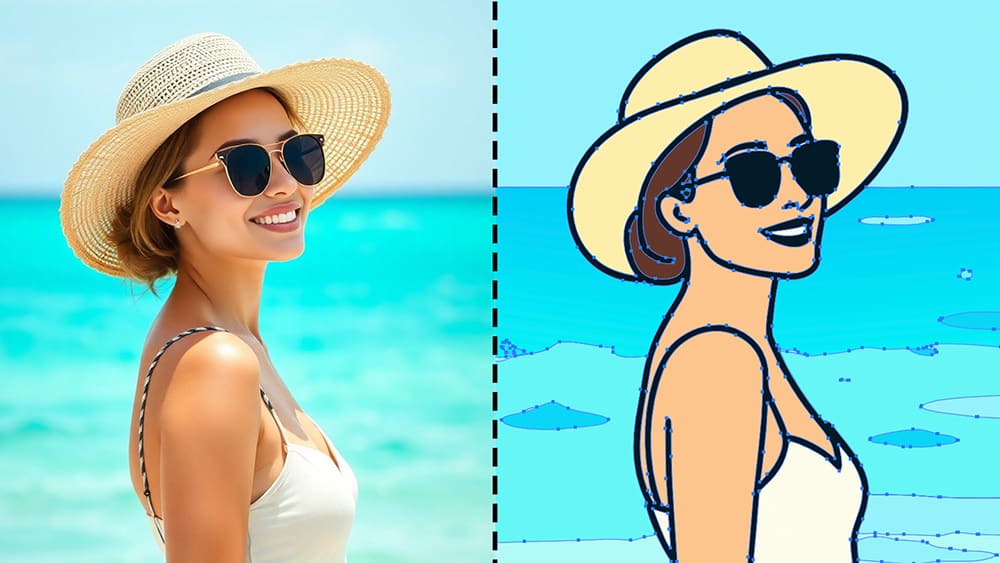
Turning a photo into a clean flat vector sounds simple, but most tools don’t actually solve the real problem.
They apply a visual effect, export a raster, and call it a day.
The result might look vector-ish, but under the hood, it’s still just pixels.
That becomes a problem the moment you need to edit shapes, change colors, scale infinitely, or use the file professionally.
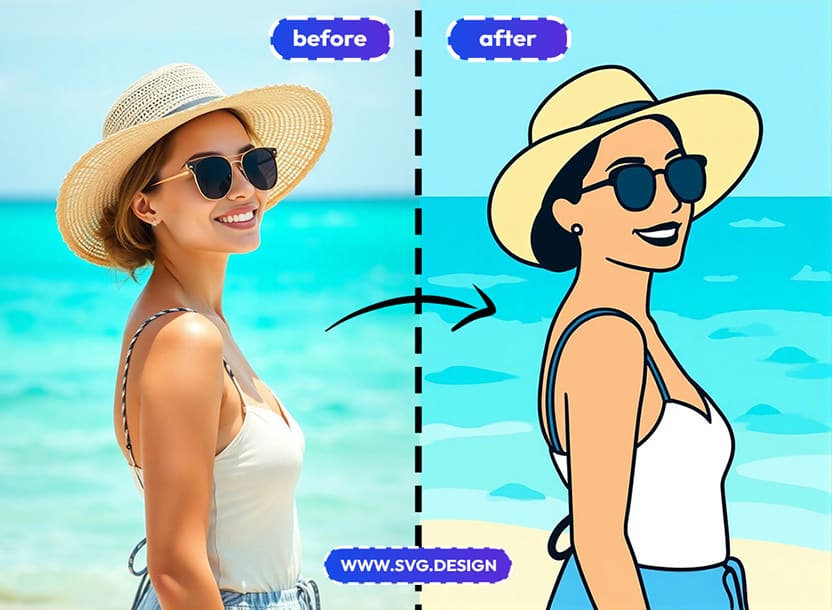
What you really want is an actual SVG file made of paths, shapes, and curves.
That’s exactly what svg.design/vectorize is built for.
How to Turn Photo into Real Vector 👇🏼
With svg.design/vectorize the process is straightforward and actually solves the problem properly.
You upload your photo and choose a flat vector style (there are other styles too)
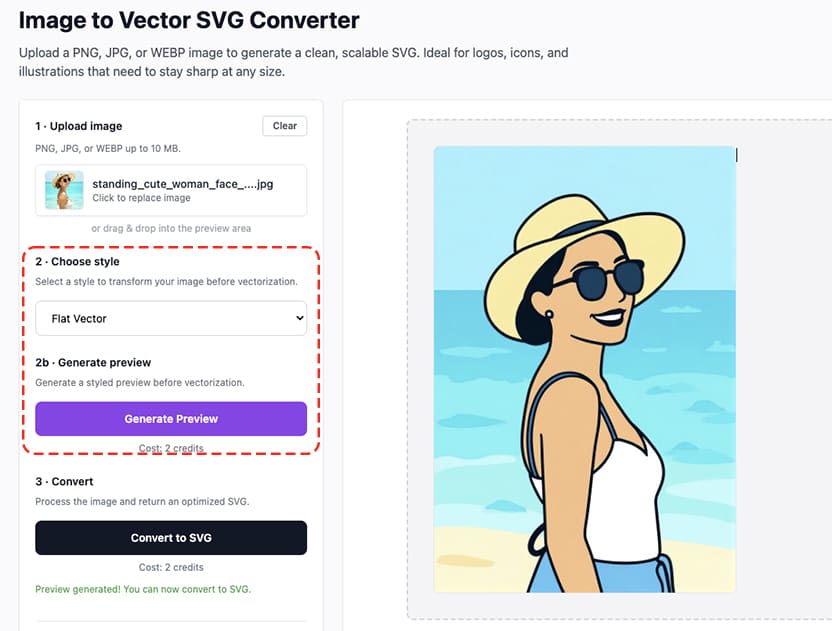
The tool generates a live preview so you can see exactly how the vector will look like.
And when you convert, the output is a true SVG file which is built from real vector paths.
This means every shape is editable.
Colors can be changed instantly and everything stays perfectly sharp at any size.
And the file behaves exactly like a vector should.
No tricks and no fake vector effects.
Just a clean and usable SVG.
What You Can Do With the Result 👩🏻💻
Once you have a real flat vector SVG, the possibilities open up fast.
You can edit it in Illustrator, Figma or an online vector editor.
You can simplify shapes, recolor sections, or remove elements entirely.
You can scale it for web, print, posters, stickers, or merch without losing quality.
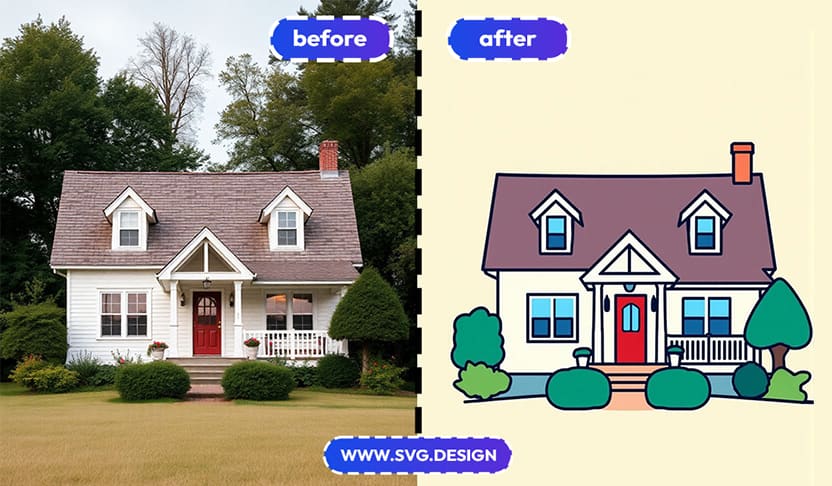
For designers, this is ideal for turning photos into flat illustrations.
For developers, it means lightweight, scalable assets for the web.
For businesses, it’s perfect for logos, icons, avatars, and brand visuals.
Common Use Cases 🤔
People use this tool to convert portraits into artistic style flat vector avatars.
You can also turn product photos into clean illustrations for landing pages.
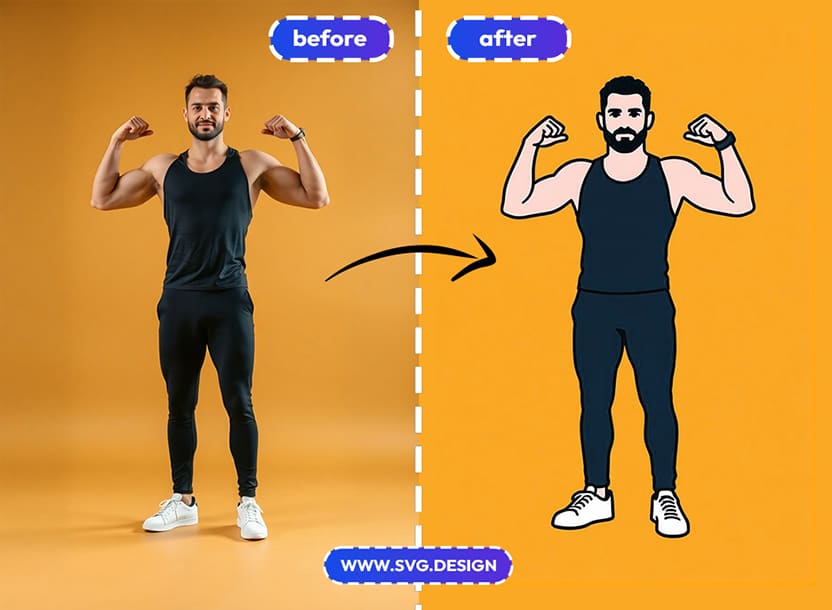
It's also perfect for vectorizing artwork for printing or embroidery.
And to transform AI-generated images into editable SVGs that actually make sense in a design workflow.
It’s also extremely useful for anyone tired of tracing images by hand in Illustrator.
Think of this tool as the img2svg generator or AI SVG generator with reference image (the terms for AI geeks)
See How it Works in 10 Seconds 👇🏼
Get a Flat Look with Real Paths ✅
Turning a photo into a flat vector should give you something you can actually edit, but most tools stop at visual effects.
They generate images that look vector-like, but break the moment you try to edit.
That’s where svg.design/vectorize does things differently.
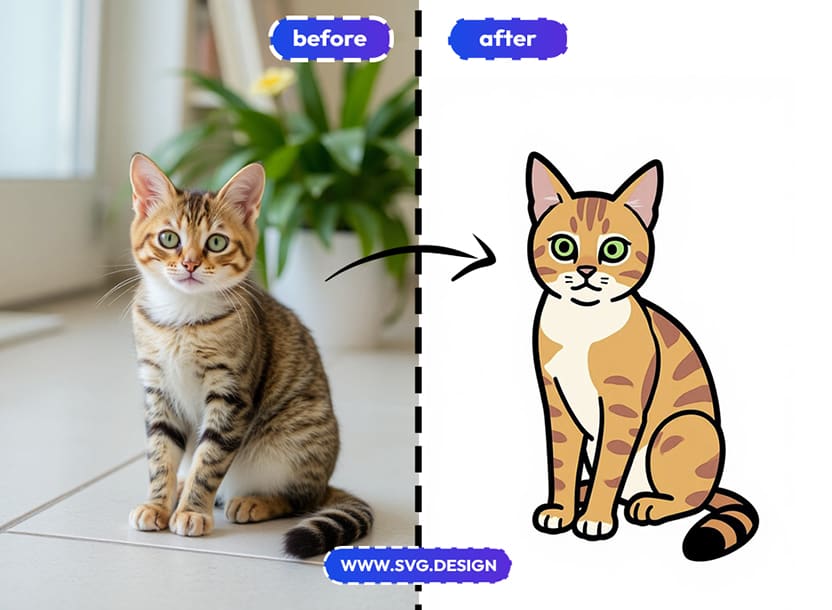
You upload a photo, choose the flat vector style, preview the result, and then convert it into a real SVG file with editable paths.
The output is clean, practical, clean and ready for real design work.
It's idea for creating logos, icons, illustrations and print-ready graphics.

About the Author
I'm a vector artist and 3D designer and the founder of SVG.design. I love creating beautiful visuals and sharing what I've learned about design, productivity, and creativity with fellow artists and makers.